natimage
-
Posts
824 -
Joined
-
Last visited
Everything posted by natimage
-
All fixed, Jack. Links and images are working. Now I just have to make little tweaks to the appearance of the error page! Thanks again for all the help. Rock Sign
-
Hi, Jack. My header and footer files still aren't working for the mailit.php page. Mailit.php and config.php are in "mailscripts" folder. They work on "contact.php". I did download the latest version yesterday, and uploaded the new mailit.php like you said. I'll be out all day, but will look into it some more tonight. Just wanted to let you know. Maybe it's something screwy on my end. Thanks, Tracy
-
I hope this hasn't already been addressed somewhere, but, where did Awstats go? I admit I haven't been in my Cpanel doing much for the past week or so. Just went in to check things out this morning, and Awstats was not listed. Account is www.naturalimagesweb.com on server10. Thanks, Tracy
-
I just wrote up a whole big reply using fast reply, and when I tried to submit the reply, it popped up an empty Reply box and didn't submit... Thanks for the response. I have the problem fixed for the time being. It wasn't anything to do with ZoneAlarm, but I'm still unsure what was going on. Had to have been something with my code. Jim...all I know is that my ZoneAlarm privacy Advisor pops up with messages of things that have been blocked from sites in order to allow me to surf the web more privately. The settings can be customized, but by default it blocks some cookies, animations, private headers, web bugs...I don't know what the last two are exactly. Still learning! I'll be posting the page in question soon, for review. I am currently waiting for permission to use some content from the TCH site, so I don't want to post it yet. Thanks again, Tracy
-
Those of you out there using ZoneAlarm...have you ever had any problems with external style sheets being blocked as part of a private header? I'm having this problem on a page that I do not have published yet. That's the only thing I can figure out, because the style sheets seem to function fine with the page on a different computer. I went into the ZoneAlarm interface and un-blocked all privacy settings for this particular domain...but it still pops up saying that it has blocked private headers. Any suggestions? Thanks, Tracy
-
Thank you...that is what I thought it should be. Was just a little afraid to change it without confirming!! Tracy
-
Howdy... Would someone be kind enough to tell me what the default "run=" line in the win.ini file is supposed to be??? That virus had corrupted that line, and I thought I fixed it...but I'm not sure. Right now it says, "Run= C:\Windows"...when my computer boots up, it opens up to browsing that directory. Not a major problem, but would just like to fix it. Thanks, Tracy
-
I'm sure none of you out there are as stubborn as I am that you would operate your computer without updated protection...but I thought I would share this with you anyway! And if you are without good virus protection...GET SOMETHING FROM SOMEWHERE. It's worth the $50 or so that you might have to spend. There are some free things out there as well! Anyway...Backdoor.NetTrojan...I'm convinced I got the virus while connected to Gateway Chat support. Whether the guy that was helping me was a crooked little employee or somebody else hacked the connection...I'll never know. For a day or so I ran my computer with this virus. Then I realized that there was business going on in the background of my internet connection and I couldn't define the source of that business. I finally did a diskclean and then searched for all files accessed on my computer that day. That's when I came across the virus files. I started to delete, then thought better of it. I figure if someone goes to enough trouble to create and dispurse a virus, it's not going to be that simple to get rid of. That was a good decision on my part. Then I downloaded and installed Norton Antivirus Trial version. Good thing, in that it found the virus. Bad thing, in that it deleted the source file and didn't clean up the mess that the virus had made. All of a sudden I could not open any application at all!!! Here's a little quote from Symantec on this virus: It adds registry values, modifies registry values and corrupts the shell= line in the system.ini file. It claims all of your .exe files (and some others) so that those type files will not work without the virus source file on your computer. Following through with Symantec's removal instructions before the virus file was deleted didn't work, as the virus simply rewrote everything that I tried to delete. AFTER the source file was deleted, my computer would no longer let me do what Symantec said to do, because of the virus corruptions. In the end, I found this little script online: ...copied and pasted this little script and named it regfix.reg and saved it to a disk. Obviously I was on a different computer, as mine wasn't working. Then I took that file to my computer and ran it from "My Computer" interface, as that was one of the only things that would work. This little script fixed about 99% of my registry entries! I think there are still a couple of entries that are messed up...but none that affect the daily use/performance of my computer. I had already fixed my system.ini file...so I was good to go! Moral of the story...RUN GOOD VIRUS PROTECTION. But if you do ever get attacked by this particular virus, or if someone you know gets it...maybe this post will offer a little help. It's not really a hard virus to remove if you have all the information before you start removing it!! Happy Surfing!! Tracy
-
Well...I happily now have ZoneAlarm and AVG 6.0 running on my puter. As soon as I installed AVG, it found 2 viruses that Norton hadn't caught. With ZoneAlarm, I also got Pest Patrol. It informed me of several "threats" and a "keystroke logging" file/program/whatever that was on my computer. I must say that for the past two days, my computer has been running much more smoothly! It actually hasn't locked up one time. And I love ZoneAlarm...it has blocked many attempts of probable legitimate traffic and 2 events of malicious stuff! Thanks for all the input and advice...my computer is much healthier now thanks to all of you. I do have one question regarding AVG...I'm assuming (can't remember from my reading...) that it is protecting me with something similar to Norton's "Auto-Protect" feature!?!? Is that correct?? Everybody have a great day!! Tracy
-
What's the best virus protection program out there? Zone Alarm, Norton, McAfee??? I'm just looking for opinions before I decide to buy one. I'm running a free trial of Norton right now...I have 14 days left before I have to make a decision or get another free trial!!! Thanks, Tracy
-
As only a born and raised Texan can say, "I SQUISHED IT!!!!!!!!!!!!!" Whip Virus is dead...gone...only a sweet memory (right...) in the dark depths of my 'nasty nightmare' file!!! Anyway, I don't have the time or the mental energy right now to post a thread about my experience with Backdoor.TrojanNet...but soon I will. I'm going to post the "fix" that helped me and explain a bit about what happens with this virus. Happy 4th to everyone! Tracy Goof
-
Thanks for the pointers! I'm about to give it a whirl in DOS...I'll let you know how it turns out, Leezard! Not running XP...still chugging away on 98!! Wish me luck, Tracy
-
I think I just found out that it is possible to edit the registry from DOS. I will try that this afternoon. In the meantime...anyone tips/tricks/warnings from the wise would be appreciated. I know it's dangerous to edit the registry...I do have a back-up (on the hard drive)...but I have detailed instructions from Norton on what I'm supposed to remove. So...anything else I need to know...fire away!
-
Well...that "dinging" I posted about yesterday was caused by a Trojan backdoor virus on my computer. Norton removed the virus itself from my computer...but of course didn't fix all the crap that the virus had infected! So...now I cannot run any applications from my hard drive. I installed a different hard drive just so I could get on the internet and see what kind of help I could find. I think all I need to do is get into the registry and remove the references to the virus file (unwise.exe). I know how to do it...but since I can't run any applications from Explorer, I can't get into regedit. Is there a way to edit the registry from a dos prompt...or some kind of restore ability for the registry? Please help...anyone who can! I will be away from the computer until after lunch. Have to go do photo shoot of the parade here in town. I will check back in the forum for any ideas after lunch. Thanks Tracy
-
ok...now I'm getting a little worried. I've figured out that it is only doing this when I am connected to the internet (dial-up) and my little indicator in my start-up menu bar is constantly flashing back and forth as if it is sending or retrieving data...but it shouldn't be. I can't find anything that is running...I don't know a lot about looking, though. Any ideas would be wonderful at this point. Tracy ........I did have to connect to Gateway shutup support the other day for a problem with a different computer. They used some kind of funky software for their chat session...could their be remnants of that on my machine?????
-
...I really do love my computer...but, right now, I'd just like to toss it out the window!!! I had a hard drive problem yesterday...a couple of bad clusters. Caused me some havoc, but I'm pretty sure they were taken care of properly. However, my computer is now making that little noise at me like it does when you click somewhere you are not supposed to click!!??!! Problem is...I'M NOT CLICKING ANYTHING. It is not consistent with any type of mouse movement or any type of keystroke. In fact, it has beeped probably 10 times just since I've been typing this. Any ideas out there????????? I only have one window open...the one I'm using. I'm on Win98, using IE6 currently. Head Bash Thanks for any ideas! Tracy
-
Great shots, Turtle! I love the seagull!! Tracy
-
Talk about sticks...I live in the sticks. An hour and a half to the closest Wal-Mart, two non-chain grocery stores, 3 convenient stores, 2 or 3 liquor stores, 2 hardware stores and several hand-fulls of churches!! shutup Tracy
-
Thanks...I will check out that link, HG!!!
-
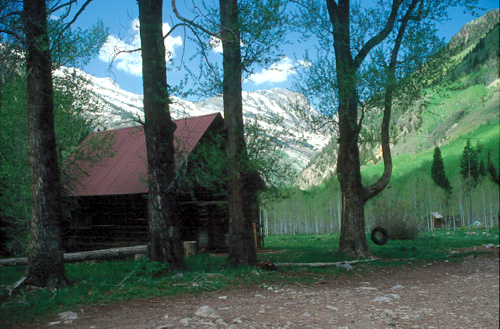
Back in the 1880's (or thereabouts), there was a big silver boom at this mill. The picture isn't actually the mill...it is the building that housed the hydrogenerator for the mill that used to stand beside it. The population of the city of Crystal was pretty solid back then (I can't remember the exact number). Then, not too many years later, I believe the mining became unproductive and almost everyone left the city of Crystal. There are old cabins still up there, and a few people inhabit the area in the summer. But, it is effectively a ghost town. Here is a pic from Crystal.

-
Thanks...I had a couple other shots that I liked as well or better. First time I've been able to get a blue sky behind that building at all...and I've shot it 3 times now!!
-
And here's one I just got back yesteday. This is the "Old Crystal Mill" just outside the ghost town of Crystal City. It's a VERY well known spot for photographers in Colorado. Takes about an hour to get down the 4 mile road that leads to it!!!!
-
Here's a chair for you, GSF...
-
I also had this happen. I caused my problem, though...I still had a link to one of my old pages on a working page and didn't know it. I also had problems at one point when Dreamweaver (or possibly me...) didn't completely delete all the code associated with some javascript that had been deleted! Worth a check to make sure you don't have dead links in your own page!! Tracy
-
Some Notes on Variables The first thing you should know about variables is that they are all denoted with a dollar sign at the beginning. For example: >$IAmAVariable IAmNotAVariable As mentioned in a previous lesson, all variables are CASE SENSITIVE. A variable may be composed of letters, digits (may NOT be the first character following the dollar sign), and the underscore character ('_'). Variable assignment is very easy. It is always written like this: >$VariableName="whatever"; //quotes should be used with text strings or >$5=3+2; //quotes aren't required for mathematical expressions If you re-assign a variable, the second assignment is effectively nullified...it will have no effect. Also, assigning a variable in one file DOES NOT affect variables of the same name in another file. Assigning a variable in one file DOES persist throughout the execution of that file, no matter how many times you've changed from PHP to html to PHP. Using the ECHO function ECHO is one of the two most basic functions for printing to output. You can use it with or without parenthesis. However, there is one difference between the two methods. Try the following examples one at a time: ><?php echo "This will print just fine!"; ?> and ><?php echo ("This will also print just fine!"); ?> The difference is the ability to use multiple arguments in the version without parenthesis: ><?php echo "Without parenthesis", "you can use a comma to create multiple arguments."; ?> and ><? echo ("If you do that when you use parenthesis", "you will get a PARSE error."); ?> Using the PRINT function PRINT is the other most basic function for printing to output. You can NOT use multiple arguments with this function like you can with ECHO. However, the PRINT function returns a value indicating whether or not evaluation of the statement succeeded (value of 1 if it succeeded and 0 if it did not). "It is rare that a syntactically correct PRINT statement will fail, but in theory this provides a means to test, for example, if the user's browser has closed the connection." You can use both PRINT and ECHO to successfully print numbers and text strings. NOW...LET'S THROW IT ALL TOGETHER. Here's several examples to show how variables can be used with or without PRINT and ECHO functions. Remember...variables are case sensitive, functions are not. 1. Simple output of a variable (also try replacing PRINT with ECHO...you'll get the same output): ><?php $myname="Tracy"; print "$myname"; ?> 2. Now let's include output of a variable within a string of text. Also you'll note the use of the <'br'> tag to render a line break: ><?php $myname="Tracy"; $myage="31"; $career1="photographer"; $career2="web designer"; $career3="medical lab tech"; $career4="Air Force Reservist"; print "My name is $myname and I am $myage.<br>"; echo "My careers of choice include: $career1, $career2, $career3, and $career4." ?> I'm out of time this morning. Next will be a short lesson on one other aspect of variables. All above information is credited to the PHP 4 Bible by Tim Converse and Joyce Park.