MikeJ
-
Posts
2,369 -
Joined
-
Last visited
Everything posted by MikeJ
-
Worst I've seen is when someone sent out massive amounts of spam and used an image on our site as the background in their HTML email (linked from our site).
-
The example you provided (Globus Computer) actually does use tables to get that format. However, what you are probably looking for are what is called Cascading Style Sheets (CSS). This would prevent the need of having to create tables, and allow a lot more flexibility in layout design. I don't use Frontpage (or for that matter, I don't use any design package) so I can't really tell you how to do it in Frontpage. But if you search around on the internet for CSS tutorials, and look into some getting started with CSS books, you'll open up a whole new world of page design to yourself.
-
woooot Woohoo! I'm now a distant family member! <------- *directs your attention to the title* I can feel the transformation beginning already.
-
Has anyone here read this book and if so, what was your opinion of it? Oh, and if anyone knows of any other good resources or books about optimizing web sites (in particular from the design perspective), I'm looking for more.
-
It's an internet abbreviation. j/k = just kidding One place you can see some abbreviations.
-

Lining up a header, footer, and 3 columns in CSS?
MikeJ replied to deanavail's topic in HTML and CSS
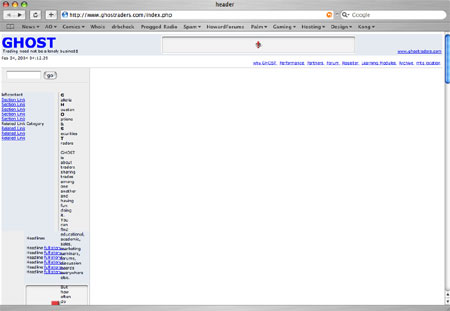
Dean, your site page now falls apart on my Safari browser. It all shows up crammed on the left side of my browser. I'll try to look through it later and see why it breaks on my browser. My CSS (my css currently breaks the layout on IE 5 and earlier... I haven't had a chance to go back and fix it) uses a 3 column format based on the glish.com template on my site, so I can answer your original question. The way to line up an absolute position left and right column with a floating center column is to remember that the center column is positioned based upon what's above it (whereas the left and right columns would be in an absolute position). So, to figure out where your center column is, you have to add up your top body margin plus your banner height plus any margin you have on your banner, if any. I think the primary advantage (putting the disclaimer that I am not an expert on CSS) of having the left and right columns absolute, is that no matter how small you make the browser window, it will retain 3 columns (none of the columns will drop down, however at some point your center column will get too small). I went ahead and took a screen shot of safari with your current iteration of your site. It's attached. I'll still try to take a look at your current CSS when it's not past 3am.
-
Mountain Dew compared: Caffeine content in a 12 ounce can: Coke - 34.5mg Pepsi - 37.5mg Mt. Dew - 55.5mg Still pales to a typical 8 ounce coffee though: Instant - 95mg Brewed - 135mg
-
Mountain Dew is a soft drink by Pepsi that has one of the highest amounts of caffeine of normal soft drinks. It's generally the geek's choice of soft drinks for exactly that reason.
-
Bill has Mt. Dew pumping into him intravenously... he just doesn't tell anyone. The whole team at Rock Sign
-
Also, one more thing... assume a visitor to your site knows nothing about your product. I don't see any mention anywhere on your site that this is PHP for example (I had to download it to see). Maybe put up some requirements (requires PHP, mysql, etc...). Would be helpful to better understand what your software is.
-
Not everyone though. Since we're on the topic... minor, but the side columns don't extend down in Safari, which is the big browser for the Mac folks. I'm sure you can look at your awstats to see if it'd be worth it to try to fix that or not. The site is still navigatible (is that a word?) just fine. Also the image in the welcome guest box doesn't work (that shows up in the firebird screenshot too).
-
If the email is in HTML, it could be referencing images that are hosted on a webserver, instead of included in the email. In those cases, it's possible the webserver is not available, or you just can't access it at that time. Or if there's a setting in OE that allows one to turn off viewing of external images, but I'd be suprised if that option was in OE. Microsoft isn't exactly known for putting anything in their products that would even remotely allow an enduser to prevent any kind of advertising being thrown in their face. (such as IE being just about the only browser anymore that doesn't natively have pop-up blocking).
-
Suh-weeet!!!!!! woooot Too bad I'm nowhere near the data center. I'll have to offer coffee to the data center guys for favors. "Psst... hey... you go to my server and throw more RAM and disk in it, I'll setup a cron job to have coffee prepared for you every morning!" Naughty
-
If we pooled together $550,000 we could buy Bill a new ride for being a swift guy! Thumbs Up eBay Listing Rock Sign
-
Hey! I think I'm probably that "other guy". Raul and I will have to start our "Not slaves to Bill (the other Bill, not good TCH Bill)" club. Windows (p.s... all in good fun. )
-
I can understand your confusion, email trails get pretty convoluted. Let me see if I can clear it up some. There are two components to your problem.... 1) Someone else is sending mail claiming to be from your domain. There's isn't really anything you can do for this. If you look at the headers of the originating message in the example you provided, you see the following origin: Although the host at choiceone.net claims to be jikrantz.com, they aren't. However, emails can be forged so easily that people can claim to be anyone they want to when sending email... but fortunately, the headers rarely lie (they can just be hard to interpret). Since the email being sent never comes from your account, nor any machine you control, you cannot stop it from going out. You could attempt to contact each and every person that sends one, but that would be a difficult process since the majority of these are likely coming from viruses, and you will receive bounces that originally came from numerous different infected machines. The number of emails will diminish when those people fix their infected machines, but when the next virus comes out, it may start all over again. The reason people are claiming to be your domain, is likely because they have your address in their address book because they have received email from you at some point in time. The virus then takes random domain names from the address book to create fake addresses, most likely in an attempt to make it slightly harder to identify infected machines. The only real solution to this problem given the way email works today is for the general public to protect their machines better, and for vendors to provide more secure software. 2) You are getting a lot of bounces (returned email) due to (1). This is a problem you can control, and that we were recommending solutions to. Basically, given that trying to contact every person that is infected and claiming to be you is pretty much a futile effort, the value of those bounces is pretty much nil. So the :blackhole: or :fail: options is a method of discarding useless mail so that you don't have to sift through it. Hopefully that helps clear it up a little.
-
:blackhole: is a little easier on the server if the MTA (mailer) accepts the message, determines the user doesn't exist, then bounces it, for :fail: (which based on your response I assume is true), instead of denying reciept of the message for invalid addresses. The only caveat of :blackhole: for default is that if someone sending valid email simply misspells your username, they won't realize you didn't get the message (because they don't get a bounce), and you won't realize they sent one (because it was deleted). However, for most people that is likely a rare case and they would probably be fine using the preferred :blackhole:.
-
Viruses will do this, and that's probably what you are seeing. As soon as I migrated my domain email over here, I started receiving a ton of bogususer@****. You can't really do anything about it. Most of the people who are sending mail as you probably don't even realize it due to the virus infection. Best thing is to set in your cpanel any mail that doesn't belong to a particular mail account to forward to ":fail:".
-
What's the difference between semi-managed and fully-managed? What backup services (if any) are provided if you don't get "Remote Backup Services"? Is this a "locked in" price once one goes with that account (locked from price increases assuming the account stays within the plan)? What level of access is provided? Same as reseller accounts (cpanel and whm) or is there any additional level of access provided? Finally, is there a setup fee? -mike
-
Ahh... known as 419 scams. I see several a week. Some people have actually been taken for thousands of dollars falling for those scams. Typically, after you call them, they get you to put some money into an account first, to show you are serious, and then while you are waiting for your big payoff, they are running off with your money.
-
Is it a true statement that any DNS resolution that takes place on TCH servers queries the authoritive TCH nameservers via some caching nameserver that doesn't look at the root servers directly? Just asking for purposes of my migration. It seems that as far as the TCH servers are concerned, once I setup a domain in WHM, the server considers TCH authoritive for that domain, regardless if TCH is authoritive as defined by the registrar for the domain. From a PHP script I whipped together to query DNS, this appears to be the case. The queries are getting the info from localhost, and are showing TCH as the authoritive name servers for domains I have setup on TCH, but not changed the nameservers at the registrar yet. I just want to confirm that my findings are correct so I understand where my mail (which fails to certain domains at the moment when I attempt to send it through TCH because the server can't find the correct DNS info, which is what started this investigation) is getting DNS from, as well as my web sites, while I'm still in the process of migrating. This will help me make sure my migration of my critical domains is smooth. Thanks! Rock Sign
-
It's not all about speed. It's also about how awesome it sounds, and how cool you look!!! And you can put another Mike down for that being one of my favorites! Thumps Up -mike
-
There are some tools to make it more difficult for the casual visitor to steal the issue, but any even half determined person is still going to be able to get the image. If all else fails, the potential thief just has to grab the image from their browser cache. You may want to focus more on watermarking the image in some way (google search for image watermarking for lots of links). That way if someone does take your image and use it, it's either more much more obvious, or they have to significantly alter the image to make use of it. I'm not an expert on watermarking, but it's the direction I intend to look into when I start putting up some real pics.
-
Heh...odd. <_< Anyway, as for the actual video, I liked it. The last guy was great... gave the sense of "yea..." like he thought it was really cool to be able to say yes, but then began to think about the reality of what he's done, and didn't look so smug anymore.
-
Btw, what's going on with secureserver.net? I can't access it most of the time now and this.... >[mmac:~] mike% ping www.secureserver.net PING secureserver.net (63.241.136.41): 56 data bytes 64 bytes from 63.241.136.41: icmp_seq=0 ttl=114 time=47.216 ms 64 bytes from 63.241.136.41: icmp_seq=0 ttl=114 time=48.32 ms (DUP!) 64 bytes from 63.241.136.41: icmp_seq=1 ttl=114 time=47.071 ms 64 bytes from 63.241.136.41: icmp_seq=1 ttl=114 time=48.222 ms (DUP!) 64 bytes from 63.241.136.41: icmp_seq=2 ttl=114 time=48.598 ms 64 bytes from 63.241.136.41: icmp_seq=2 ttl=114 time=49.724 ms (DUP!) 64 bytes from 63.241.136.41: icmp_seq=2 ttl=114 time=56.984 ms (DUP!) 64 bytes from 63.241.136.41: icmp_seq=3 ttl=114 time=47.586 ms 64 bytes from 63.241.136.41: icmp_seq=3 ttl=114 time=48.729 ms (DUP!) 64 bytes from 63.241.136.41: icmp_seq=3 ttl=114 time=49.653 ms (DUP!)