abinidi
-
Posts
1,418 -
Joined
-
Last visited
Everything posted by abinidi
-
Hi fellow TCH-ers! I've been looking for a CMS, and I recently came across Drupal (http://www.drupal.org). Drupal is an open-source product with tons of moduls/add-ins etc. I'm wondering if anybody in the family has heard of Drupal (or even better, is using Drupal), so I can get some feedback before I atttempt my first ever custom script installation. First, how easy is it to install. I have no experience with script installation Second, how easy is it to use? Will my grandma be able to use it to read family newsletters and view pictures? Finally, any words of warning? Thanks, friends...
-
Oops. Sorry 'bout that. Here is where I made my math mistake. I assumed "k" meant kilobits, not kilybytes, so when I did the conversion in the google search box, I entered 223530 kb in MB; That is 27.28 MB; However, if "k" meant kilobytes, then the proper google conversion search string would be: 223530 KB in MB; That comes in at 218.29, as David pointed out; and yes, I think 200 MB is a lot too, if you don't REALLY like it!!
-
door
-
Remember that 223 530 k = 27.286377 megabytes, so Neomail isn't taking ALL THAT much room on your server. If it were me, I'd only remove it if I were really sure I, or somebody using email on my domain, really never wanted to use it again.
-
I had that same question for a while. Maybe somebody might submit a but/feature request to Cpanel to change the .css style for that link to make it more obviously a link.
-
Agreed. What if TCH didn't optomize their site for Firefox, and you couldn't navigate the page if you were using Firefox? They would lose 10% of their customers; I wouldn't do business with a web hosting company that can't make it's webpage look decent in a major browser... Happily TCH is very Firefox-friendly.
-
Well, Firefox just interprets what is there. Ideally, when you build a website, you should make it so it is viewable in all browsers, not just IE. So having a couple of different browsers installed helps you as a web developer make sure that all your users have a consistent experience when they view your site. If you are running a PC, I'd recommend that you have *at least* Firefox, IE an Netscape installed; maybe even Mozilla and Opera. That way can view your site from the perspective of all your users, not just your IE-using ones.
-
How do you think it compares to Picasa2 (from google), which is also free? h**p://www.picasa.com I like Picasa, but it isn't as easy to do some things as I would like. Other things are a breeze.
-
And I'll second the recommendation for the Adblocker extension. If you are unfamiliar with Firefox, then I'll explain that extensions are little programs that you install that add functionality to your browser. Here are some of the extensions I have installed in my version of Firefox: Adblock. This extension lets you click on any image, and block it from your screen. You can use a * symbol as a wildcard to block all images from certain advertisers. For example, one entry in my block list is: h**p://*.advertising.com/* -- so any images being sent to my computer from any server on the advertising.com domain will not be displayed in my browser. Ever. My web pages look a lot cleaner, now that I'm able to remove the ugly ads. ForecastFox. This extension is a highly customizable Weather.com extension that shows the weather forecast for my zip code in the status bar of my Firefox browser. Right now I can see that it is currently Partly Cloudy in my city with a 60% chance of precipitation today. ieview. Despite how wonderful Firefox truly is, there are some websites (like pages in my corporate portal) that only work using MS IE. This extension puts a link in my context menu (the menu I see when I right-click in blank space on a webpage) to open that page in MS IE. If I navigate to a page that Firefox can't show, I can just right click to see the page in MS IE. I have more, but this is just the beginning. I highly recommend that you install and use Firefox. It is very easy to use!!!!
-
I am looking for something I can install on my site that would work like the software at the popular family sites. I know that a lot of the features are already available on TCH, but not all together... What I'm looking for specifically is an application with some of the following mdules: Calendar support - (nice if it sends out email reminders of member's birthdays) News - Allow members to post news items; maybe they appear on the homepage. Photos - allows members to store and share photos with site members. Members may annotate and organize album content. Chat room - integrated. Individual Blogs / family history section. Email section / mailing list section - would allow members to create email accounts and send messages to all family members. So, I realize that this is a tall order. I guess that is why **Family.com can charge for it; but I just can't bring myself to host somewhere else, and they don't let you install their software on your own server.
-
So I guessed right. Cool. Thanks for that explanation!!
-
What?! You mean I have to actually READ the instructions!?!?!??? Dang! Ok. so when I went back and read the instructions, I found where the writer of the instructions said: What they meant was: Set the permissions on the following folders: albums albums/userpics albums/edit include I'm not sure what 777 permissions are, and I"m using the FTP client built into Internet Explorer ( I know. IE. ), so I just FTP'd to those folders and I right clicked on them and in the Properties option, I checked all the boxes. Now I can upload files!!
-
makeup
-
what does the software do? why should I download it? Is it an image editor (like Photoshop)?
-
I didn't have it on two of my cpanel accounts, and I opened tickets to the help desk. They had them installed in less than 10 minutes. Now I just have to get that permissions problem fixed that I discussed above. Any ideas??
-
Ok, so I have installed coppermine using the script in add on scripts, but I can't upload files. Here is the error I get: >Warning: move_uploaded_file(./albums/edit/mHTTP_temp_6fa48f63.jpg): failed to open stream: Permission denied in /home/<username>/public_html/photoalbum/upload.php on line 1197 Warning: move_uploaded_file(): Unable to move '/tmp/phpsp7Bdt' to './albums/edit/mHTTP_temp_6fa48f63.jpg' in /home/<username>/public_html/photoalbum/upload.php on line 1197 Note: I replaced my real username with <username>; b/c that is my account login with TCH. Any ideas? There are instructions on installing coppermine from scratch here: https://ssl.totalchoicehosting.com/supportd...ondetails&_i=34 It says you will have to know how to set file permissions, but never says what directories/files to chage permissions for, nor what to set them to. Any help available out there?
-
The GimpNvu <{POST_SNAPBACK}> You are my new hero, Raul! I had heard of Nvu, but was under the impression it was only available if you were running Linux. The Gimp was recommended to me two days ago by somebody else, and I like it too.... Yay for opensource!!
-
forum
-
it is on two of my servers (40 and 36) (at least, NOW, thanks to the help desk). It is a breeze to configure to. It installs itself into a top-level folder and prompts you for a username and password. Then you can just log in and start creating albums. It is really cool. However, I've noticed that it isn't on my server 76; I'll log a ticket there one of these days and ask for an upgrade. I'm not that interested in setting up a photo album on that site yet.
-
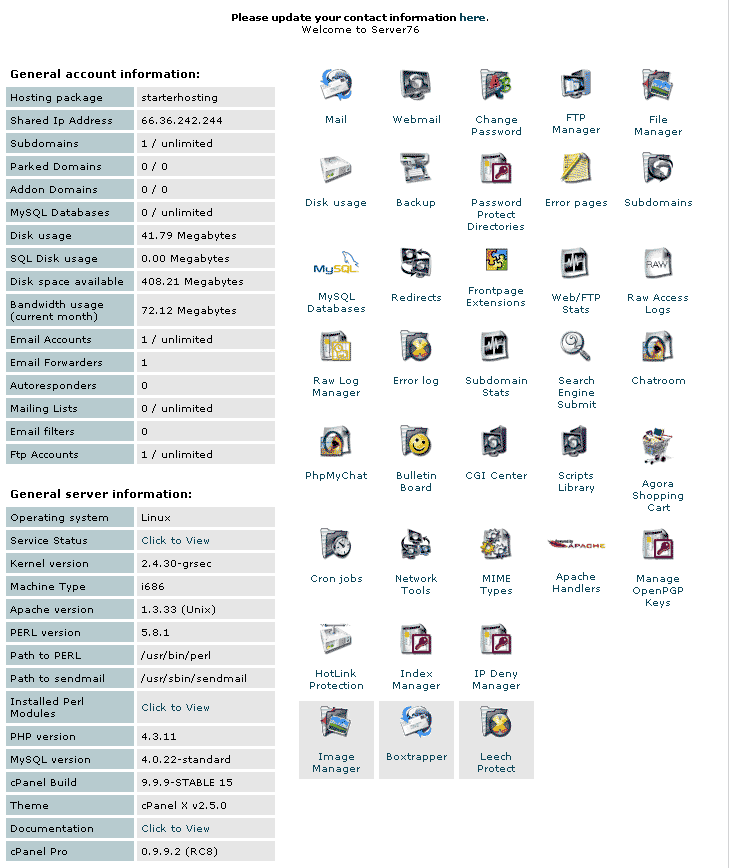
Here are differences between the cPanel on two of my servers. Server 40: Server 76: I *MUCH* prefer the list on server 40 as opposed to the huge array of icons on server 76. It is so hard to find things when they aren't categorized. I'm not sure if this is the same thing Weezy is talking about, but I've wondered why these are so different. I haven't figured out how to configure cPanel to show a list...

-
The Help Desk had it installed on the server in less than 10 minutes from when I submitted the ticket. 10 minutes!! This is why TCH is by far the best hosting around. The only thing faster than the Help Desk is the free Family Forums. Wowsers. I love TCH.
-
I wondered if the correct answer was going to be "log a ticket to the help desk." Aren't those guys (in the generic, gender-neutral sense of the word) great! They can do just about anything!!
-
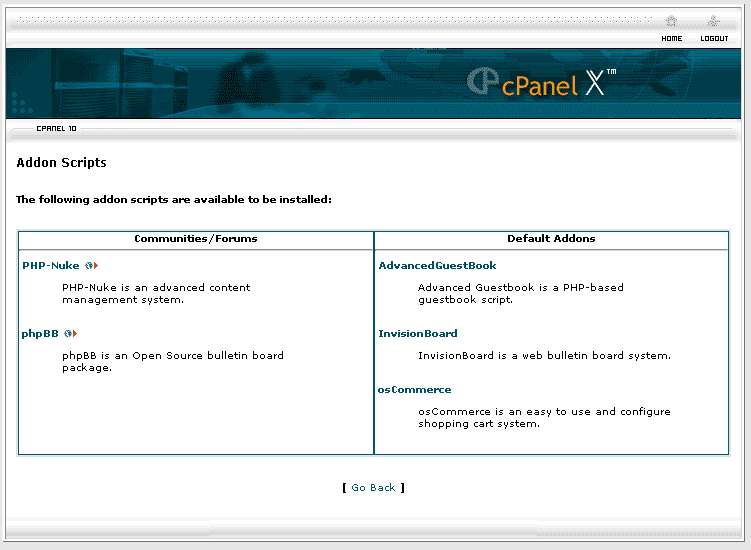
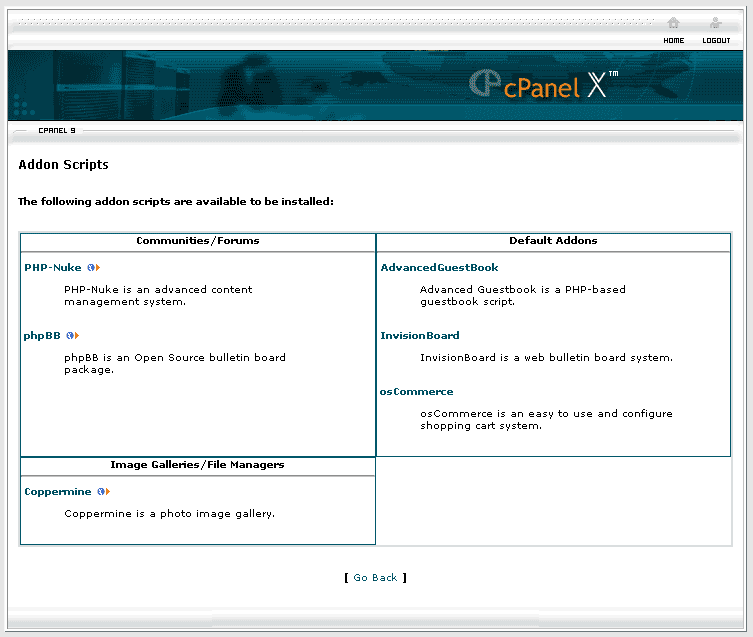
I'm not sure if this is the right place to ask this question, but I know from experience that nobody here bites, so I guess if it is wrong, at least you will be nice about it! Ok. So I have a number of websites, but we'll only talk about two of them for now. One is on server 40; the other is on 36. The site on server 40 has an option to install Coppermine if you click on the Addon Scripts link in cpanel. The site on server 36 does not have the Coppermine installation option in Addon Scripts in cpanel. This seems weird: Even though both cPanel logos say "cpanel X", when I look at the fine print below the logo bar, server 40 says "cPanel 9": and server 36 says "cPanel 10": (Why do you think that is? Was it an oversight when cPanel 10 was first released that was fixed later?) So I looked at the versions of cPanel being used, and on server 40, it says 10.0.0-RELEASE 146, and on server 36 it says 10.1.0-CURRENT 34. So in summary Server 40: Includes Coppermine Image says cpanel 9 in one spot, cpanel 10 in another is cPanel version 10.0.0-RELEASE 146 Server 36: Does not include Coppermine Image says cpanel 10 in both places is cPanel version 10.1.0-CURRENT 34 All this background information leads me to the following two questions: 1. Has Coppermine been excluded from the newest builds of cPanel or was this a mistake? If I install Coppermine on my server, will the ability to manage it from cPanel go away with later releases of cPanel? (Ok, that was more than one question, but they were all related...) 2. Can I get Coppermine installed on my site that is on server 36? How do I go about doing that? I hope you can make sense of this post... Any help or ideas would be appreciated.
-
Could you be a little more specific about what to do with the file in cpanel? I've shied away from doing anything similar because I am not familiar with how to do it. Thanks.
-
sauce